

Creating a memorable first impression doesn't have to be complicated. A personalized welcome message displayed on your Airbnb TV can instantly make guests feel at home while providing them with the information they need for a smooth stay.
With WelcomeScreen, you can display each guest's name, Wi-Fi details, house rules, check-in information, local recommendations, and much more—all on your property's TV. Whether you manage one vacation rental or multiple listings, setting up a customized welcome screen takes only a few minutes.
In this guide, you'll learn how to create, edit, and personalize a welcome message for your Airbnb guests using WelcomeScreen.
A personalized TV welcome screen does much more than greet your guests. It helps create a premium guest experience while reducing repetitive communication throughout their stay.
Some of the biggest benefits include:
If you haven't already, create your WelcomeScreen account and connect your property listings.
Once your listings have been added:
You'll now be taken to your property's configuration page, where you can personalize everything your guests see on the TV.
WelcomeScreen lets you personalize each guest's experience automatically.
You have two options:
Insert guest name placeholders that automatically display the current guest's name when a reservation is synced.
This ensures every guest sees a personalized greeting without requiring manual updates.
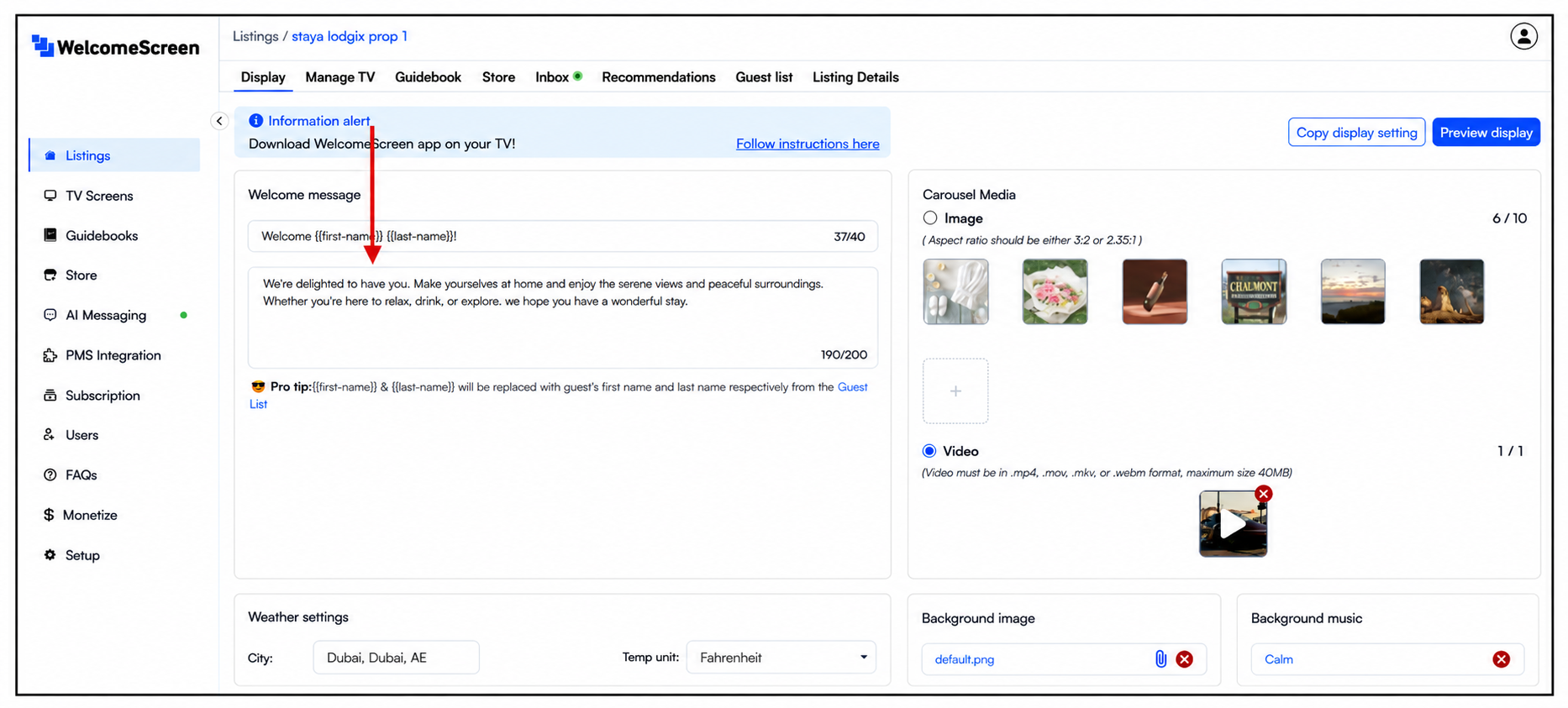
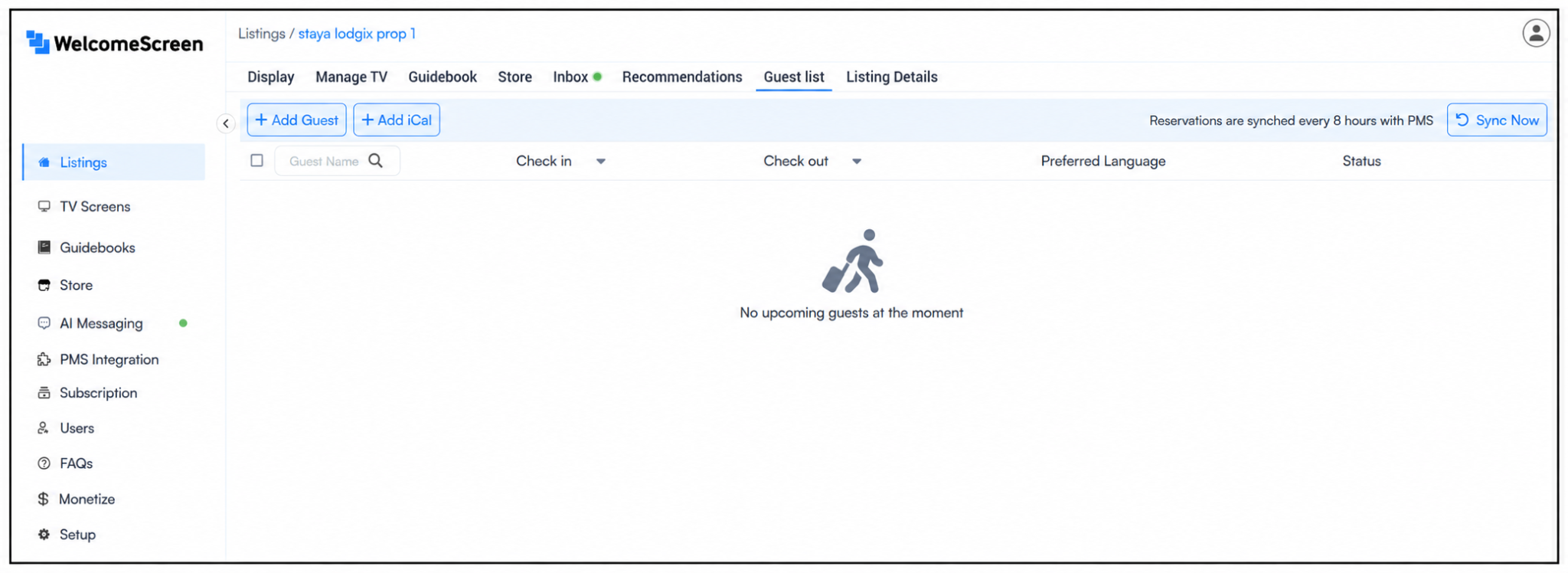
For hosts using a Property Management System (PMS), WelcomeScreen can automatically import reservation details, including guest names.
This automation saves time, eliminates manual edits, and ensures every stay has the correct personalized welcome message.
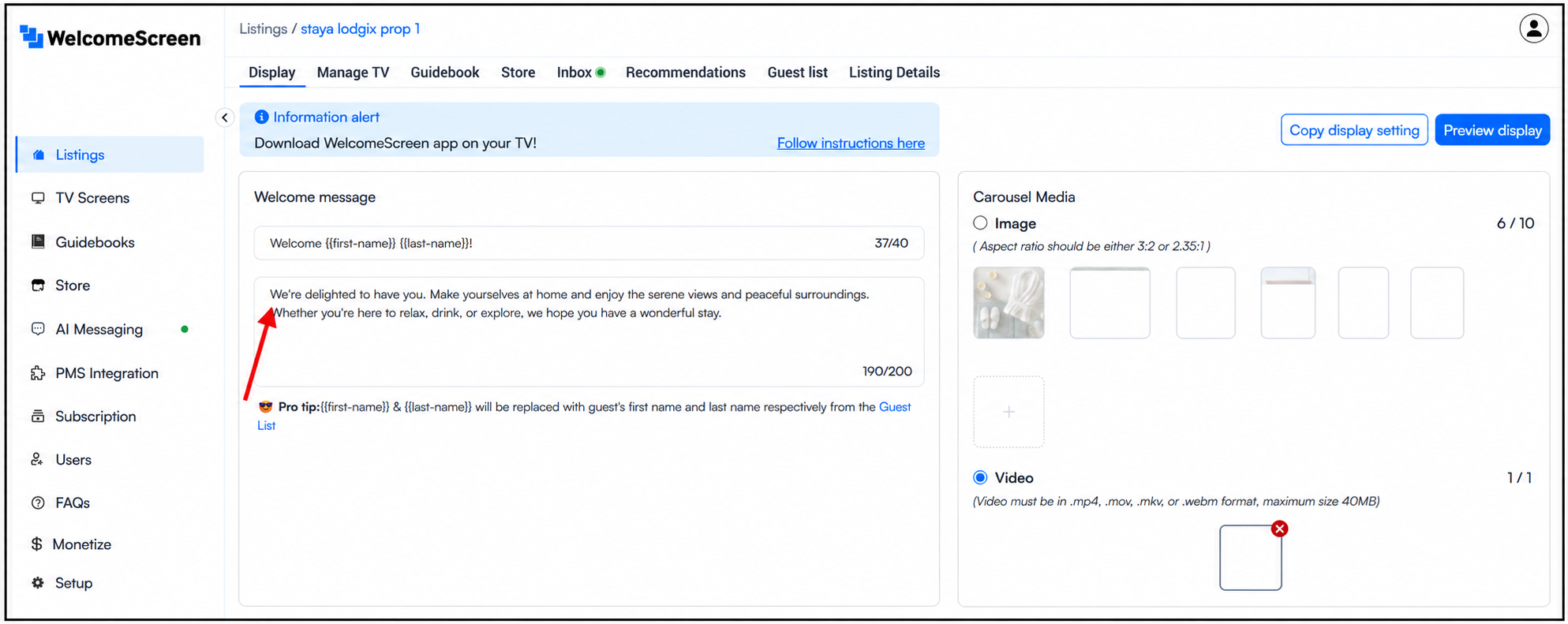
Now it's time to create a welcome message that reflects your property and hosting style.
You can include information such as:
Tip: Keep your message short, friendly, and easy to read from across the room.
Note: Changes are automatically saved as you edit.
Before publishing your changes, preview exactly what your guests will see.
Select Preview Display to launch a live preview of your TV welcome screen.
Check that:
If needed, return to the editor, make adjustments, and preview again.
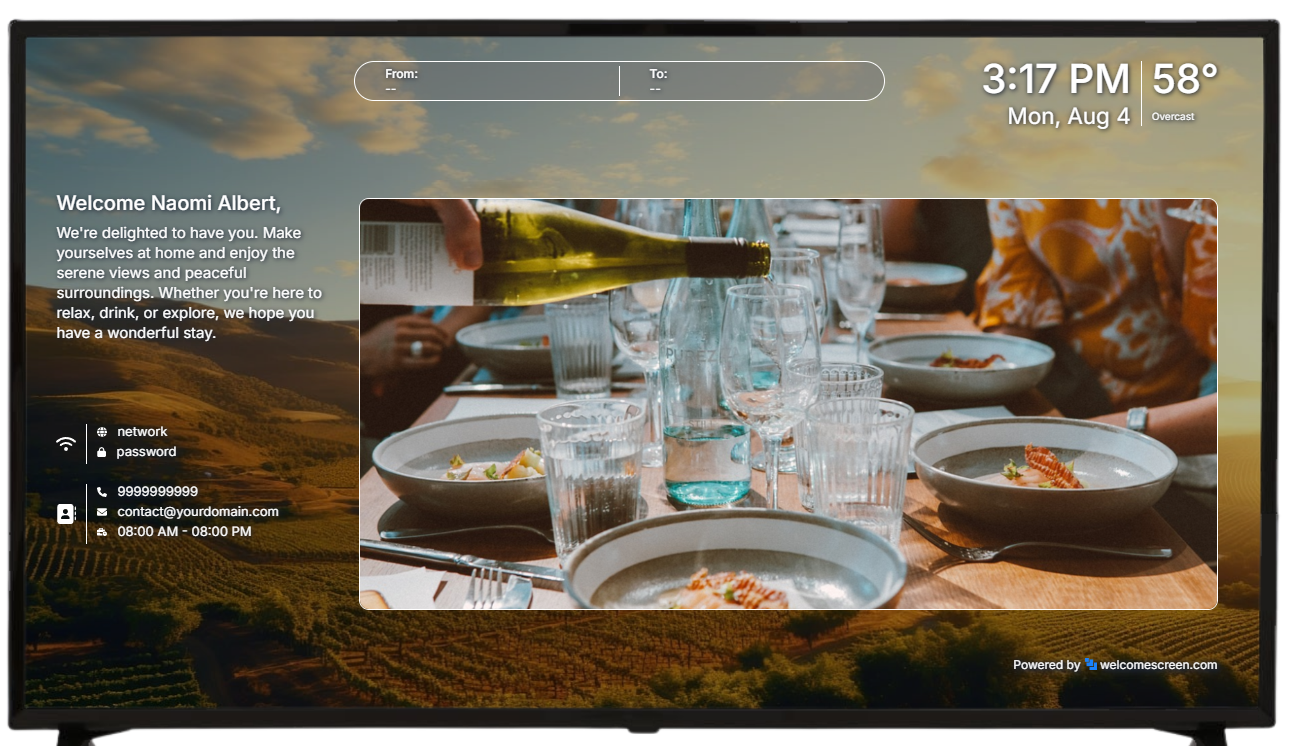
Once you're happy with the layout, you're ready.
The next time guests arrive and turn on the TV, they'll immediately see a personalized welcome screen with all the important information they need for their stay.
No additional setup is required after publishing.
To create the best guest experience, consider these recommendations:
These small improvements can significantly improve guest satisfaction and reduce common questions during the stay.
Thousands of short-term rental hosts use WelcomeScreen to simplify guest communication and deliver a more personalized stay.
Key benefits include:
Whether you manage one Airbnb or an entire portfolio of vacation rentals, WelcomeScreen helps you create a more welcoming and informative guest experience.
Need a visual walkthrough?
Watch our YouTube tutorial: How to Put a Welcome Message on Your TV for Airbnb Guests.
In this step-by-step video, you'll learn how to:
It's a complete walkthrough designed to help you get your Airbnb TV welcome screen up and running in just a few minutes.
For additional assistance or questions, contact the WelcomeScreen support team at: support@welcomescreen.com
Part of the same family as STR Market.


.png)