

Your vacation rental TV can be more than just a source of entertainment. With WelcomeScreen’s Total TV Experience, You can turn their Listings TV into a personalized guest hub where visitors can access everything they need during their stay—from personalized welcome messages and Wi-Fi details to local recommendations, games, apps, weather, and a digital guidebook.
The Total TV Experience brings all these features together in one simple interface, helping Airbnb hosts, vacation rental owners, and property managers create a more connected and engaging in-room guest experience.
Here’s what guests can access through each tab:
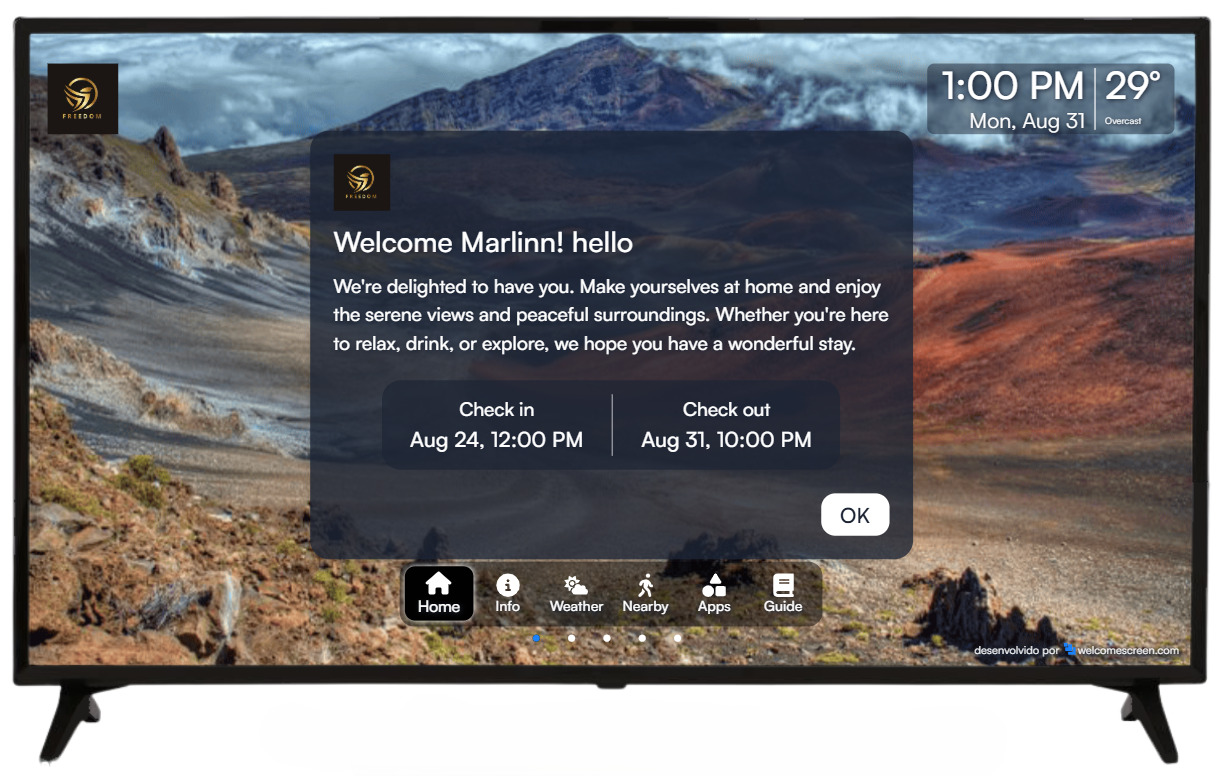
The Home tab creates a personalized welcome experience for every guest. It can display important reservation details along with a customized welcome message, making guests feel at home as soon as they arrive.
You can display:
Choose between images or videos to create a visually engaging welcome screen that reflects your Listing and brand.
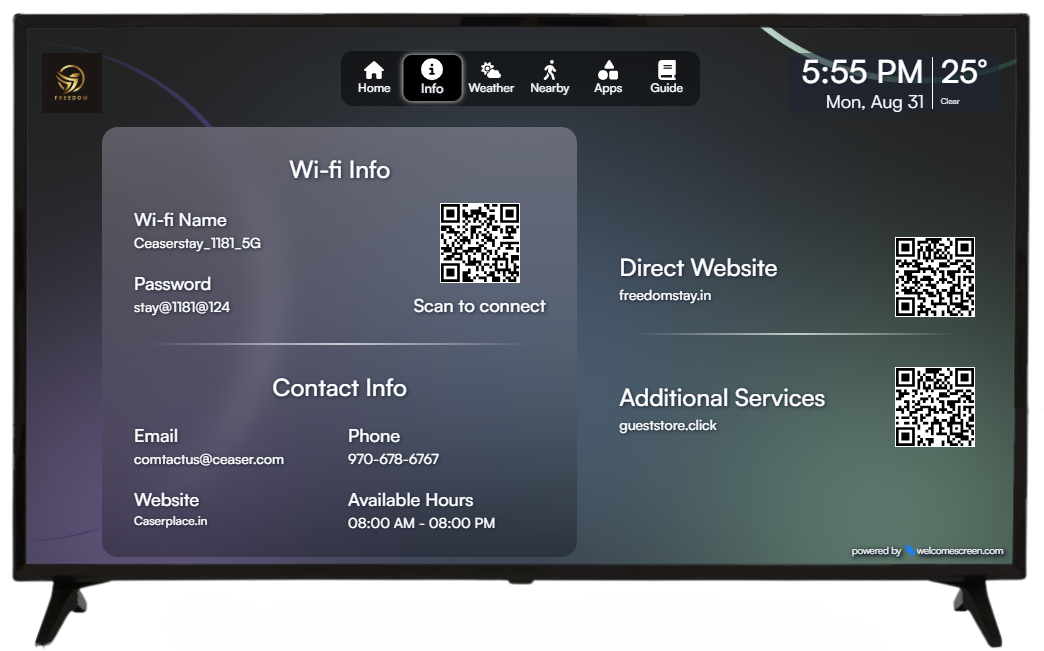
The Info tab gives guests quick access to essential Listing information without having to search through emails or messages.
You can display:
The information displayed depends on what you add in the Display settings. If a field is left empty, that information will not appear on the TV.
Any QR codes you add will be displayed on the right-hand side of the Info tab, giving guests an easy way to scan and access additional information from their phones.
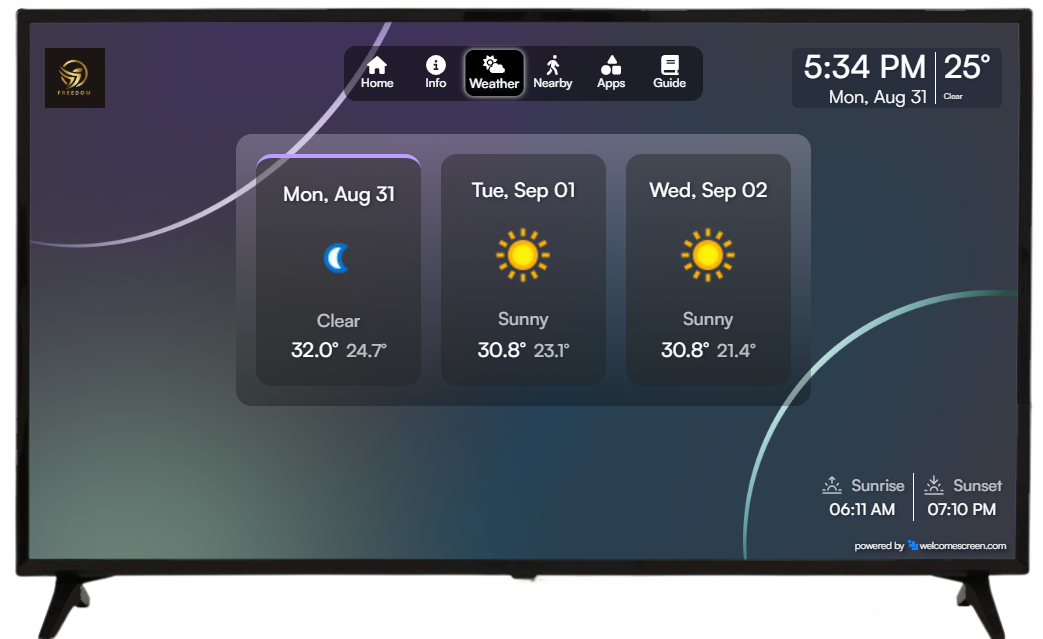
Help guests stay updated with local weather directly from the TV.
Simply set the desired location under the Weather settings, and the weather information for that location will automatically appear on the TV.
This gives guests a convenient way to check the weather before heading out to explore the area.
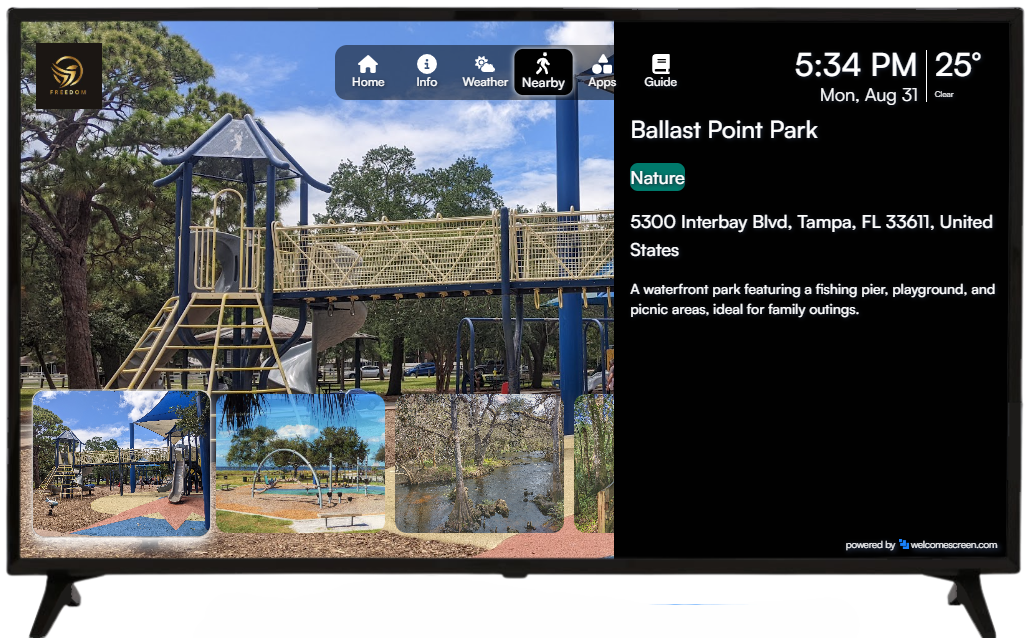
The Recommendations tab helps guests discover the best places and experiences around your vacation rental.
Any recommendations you add through the Recommendations section in your WelcomeScreen dashboard will automatically appear on the TV.
You can recommend:
This turns your vacation rental TV into a useful local guide for guests, helping them discover more during their stay.
Discover how to create personalized, AI-powered recommendations for your guests in just a few clicks. Learn how to create recommendations with AI.
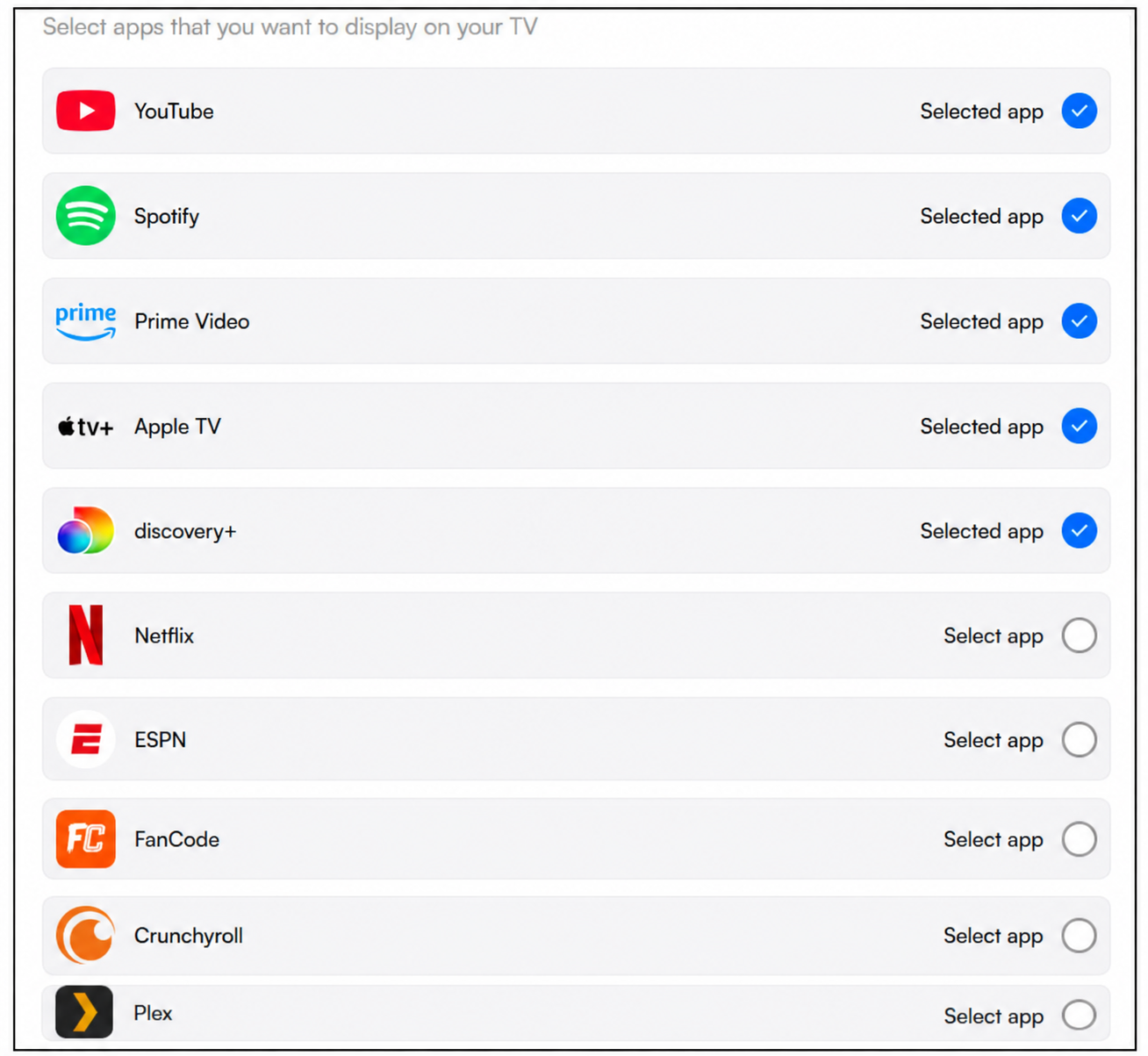
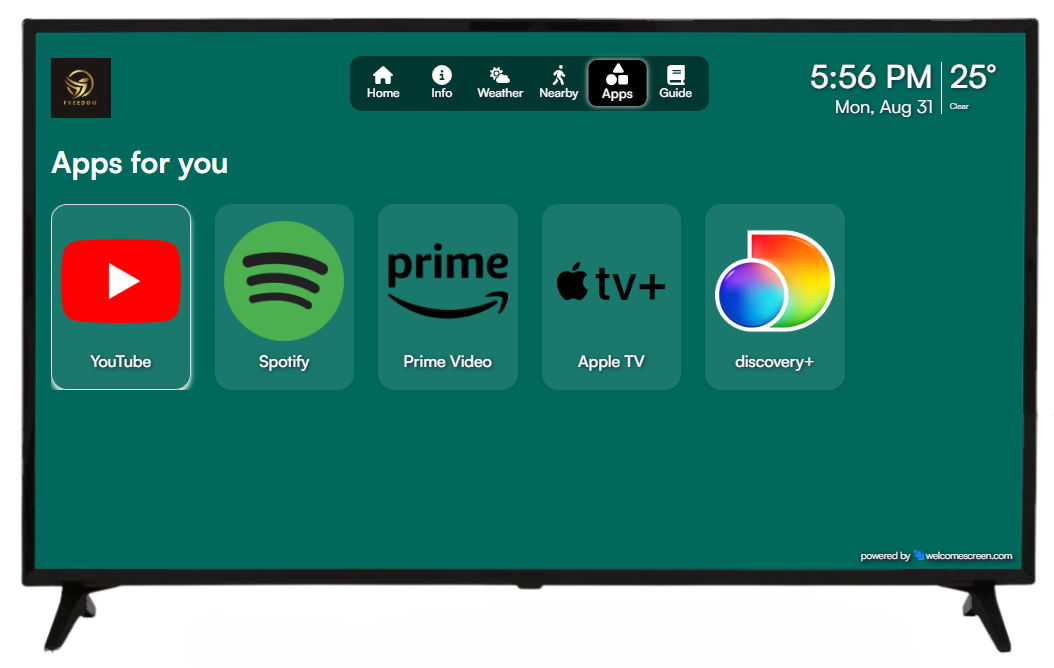
The Apps tab lets guests access selected entertainment apps directly through WelcomeScreen.
From the Manage TV section, You can select the apps they want guests to access. For an app to appear in WelcomeScreen, it must first be downloaded and installed on the TV.
This makes it easier for guests to access available entertainment without navigating through the TV's entire app menu.
If an app isn’t available in the list, you can easily add it by clicking “Add TV App” in the top-right corner. This makes it simple to customize your TV app experience and give guests quick access to their preferred entertainment apps.

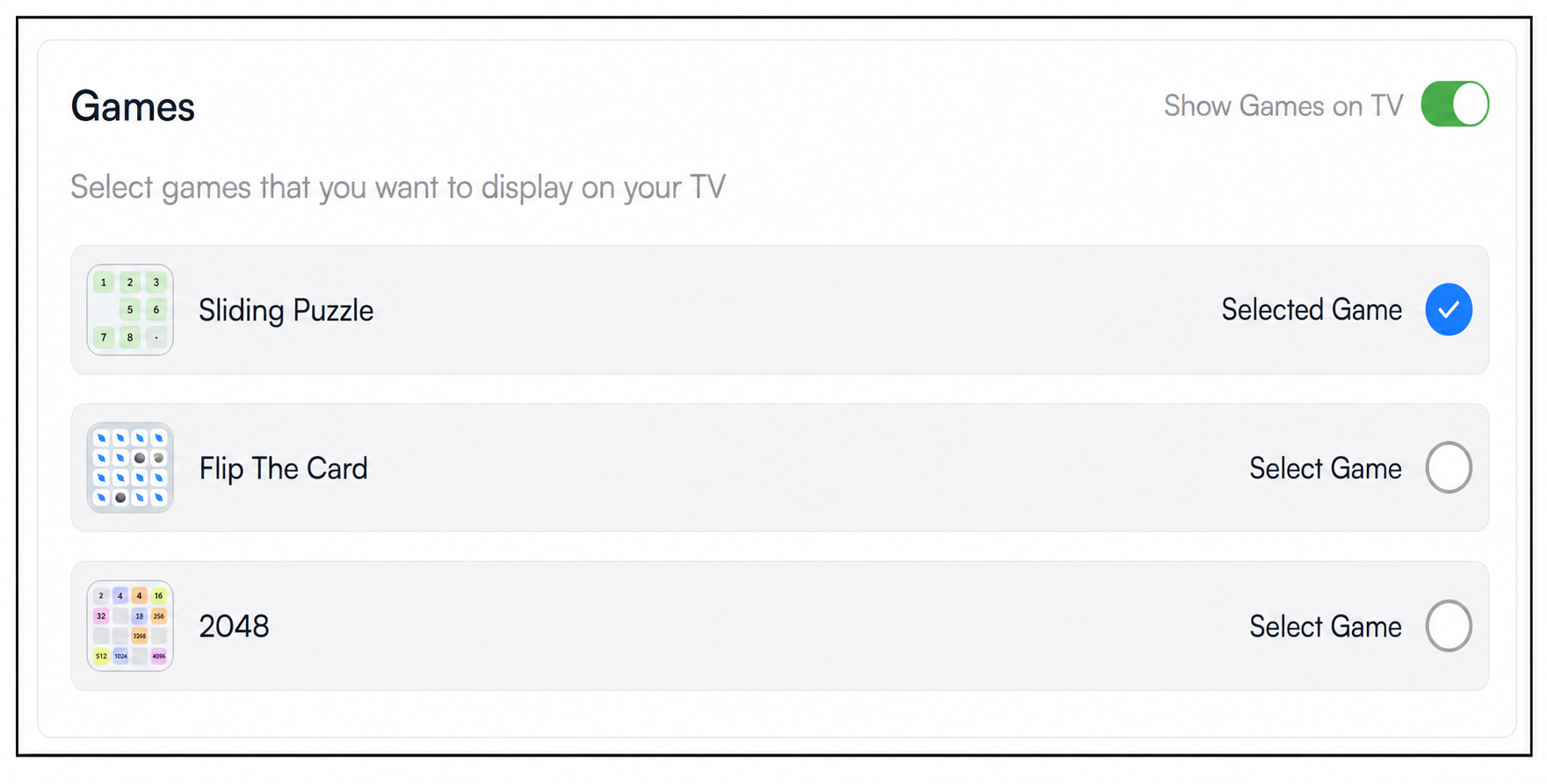
Give guests another way to relax with the Games tab.
WelcomeScreen provides three default games that you can choose to display on your TV. You can decide which available games guests can access as part of their in-room entertainment experience.
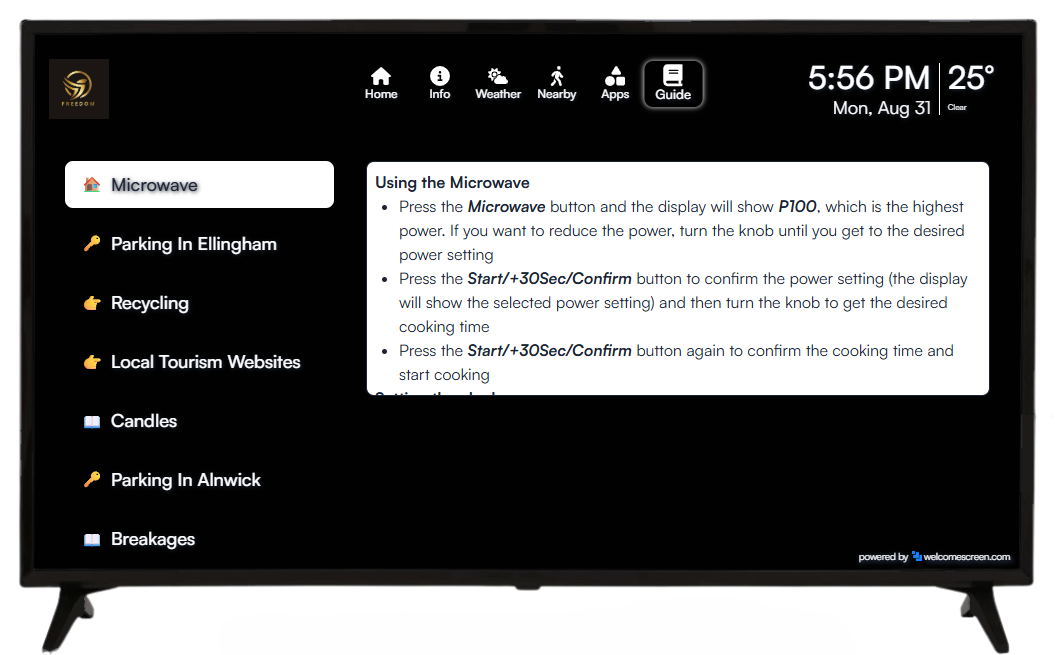
The Guidebook tab brings your digital Listing guide directly to the TV.
When you create a guidebook for a specific listing and connect the TV to that same listing, WelcomeScreen automatically fetches the associated guidebook and displays it on the TV.
Guests can then access your Listing information, instructions, and local recommendations directly from the screen, giving them an easy alternative to searching through emails or messages.
Create a personalized digital guidebook for your property in just a few clicks. Learn how to create a guidebook with WelcomeScreen.
The WelcomeScreen Total TV Experience brings your entire vacation rental guest experience together in one place. From a personalized welcome screen and essential Listing information to local recommendations, weather, entertainment, games, and your digital guidebook, guests can access everything they need directly from the TV.
For Airbnb hosts, vacation rental owners, and property managers, it’s an easy way to transform a standard Listing TV into a personalized smart TV guest experience that keeps guests informed, entertained, and connected throughout their stay.
For additional assistance or questions, contact the WelcomeScreen support team at: support@welcomescreen.com
Part of the same family as STR Market.


.png)