

Choosing the best streaming device for your Airbnb can make your TV setup easier for both guests and hosts. A reliable device gives guests quick access to their favorite streaming services while helping hosts avoid complicated setups and unnecessary tech issues.
For an Airbnb or vacation rental, look for a streaming device that is:
The onn. 4K Pro Streaming Device with Google TV is a budget-friendly option for upgrading an existing television. It supports 4K streaming, Google TV, and voice control, making it a practical choice for Airbnb and vacation rental TV setups.
For hosts managing multiple properties, a dedicated streaming device can also provide a consistent TV experience across different Airbnb properties without replacing every television.
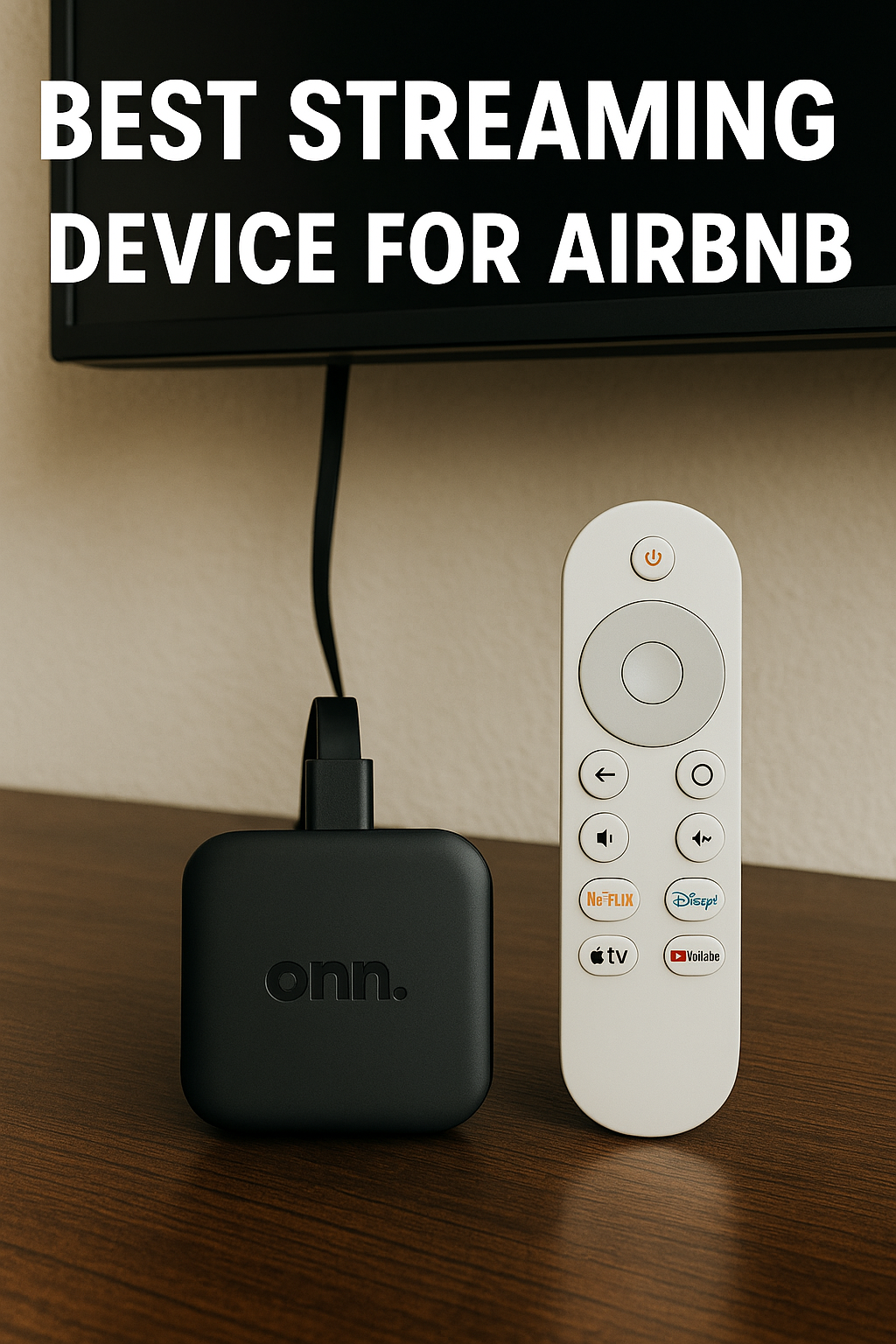
The onn. 4K Pro remote is designed to keep the Airbnb TV experience simple for guests.
For Airbnb hosts, having a simple and easily replaceable remote can also make managing TVs across multiple properties easier.
The onn. 4K Pro package includes the essentials needed to get your streaming device for Airbnb set up:
Once connected to the TV and power, you can follow the on-screen instructions to connect to Wi-Fi and complete the Google TV setup.
The onn. 4K Pro is designed to provide a responsive Google TV experience with features including:
For an Airbnb TV setup, these features provide the performance and storage needed for popular streaming apps while keeping the experience simple for guests.
Google TV also provides access to a selection of free, ad-supported live TV channels, giving guests additional entertainment without requiring a traditional cable subscription. Channel availability can vary by location.
For Airbnb hosts, this is a convenient way to give guests more entertainment options without adding another service to the TV setup.
To make your streaming device more guest-friendly:
With WelcomeScreen, you can display personalized greetings, Wi-Fi details, property information, contact details, local recommendations, and other useful information directly on your Airbnb TV.
Google TV also gives guests access to additional apps and games, providing more entertainment options during their stay. This can be particularly useful for families or guests looking for something beyond traditional streaming services.
The best streaming device for Airbnb should be affordable, reliable, easy to use, and simple for guests to navigate. The Onn 4K Pro is a practical option for hosts looking for 4K streaming, Google TV, ample storage, and a straightforward setup without replacing their existing TV.
For additional assistance or questions, contact the WelcomeScreen support team at: support@welcomescreen.com
Part of the same family as STR Market.


.png)