

Your business needs can change over time, and so can your WelcomeScreen subscription. Whether you're looking to unlock more features or switch to a plan that better fits your current requirements, WelcomeScreen makes it easy to change your subscription at any time.
If you would like to change your current subscription plan, you can do so at any time by navigating to the Subscription page and clicking Update Subscription.
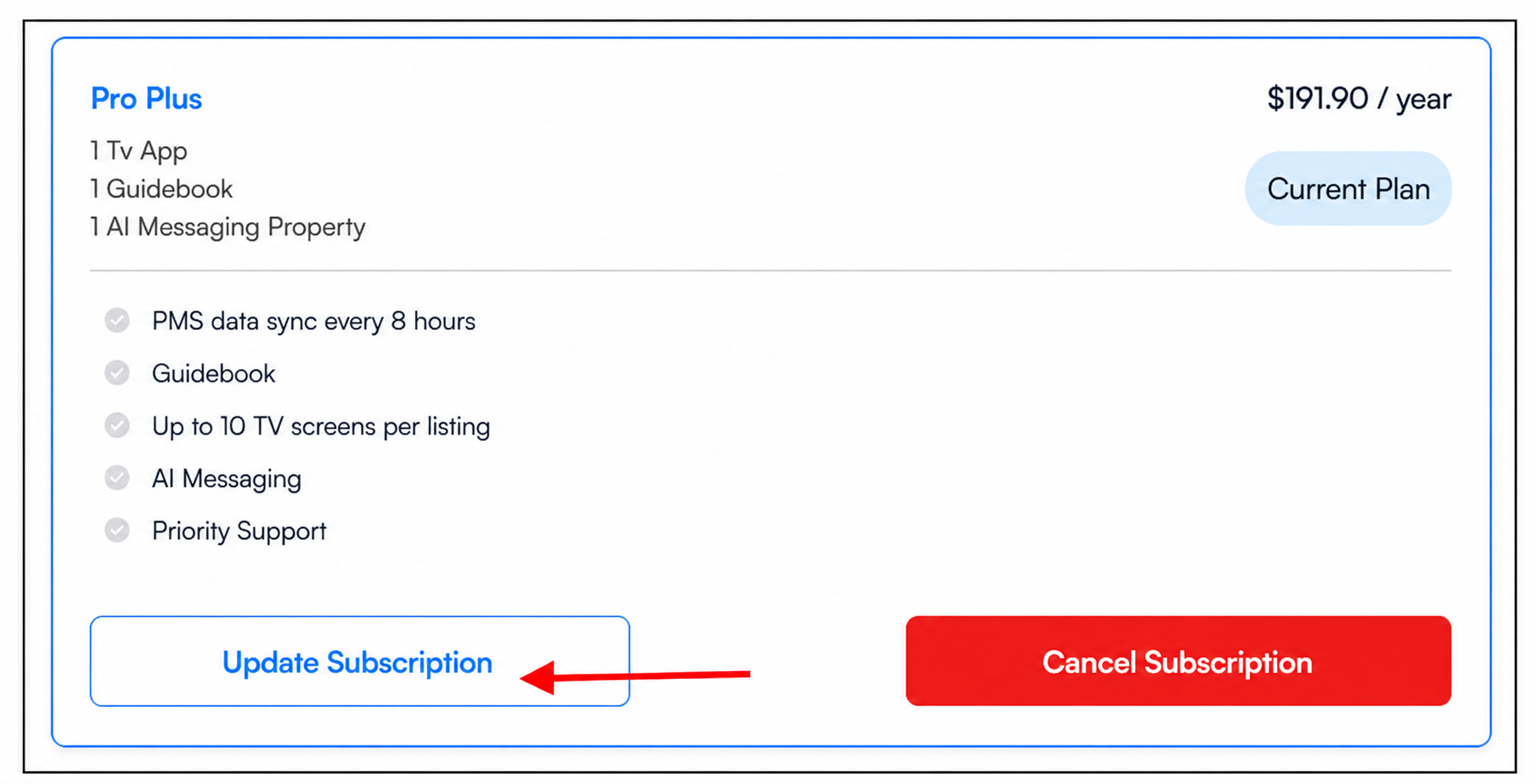
Once you click Update Subscription, you'll have the flexibility to switch to a different subscription plan by selecting Switch Plan, allowing you to choose the plan that best suits your current hosting needs and included features.
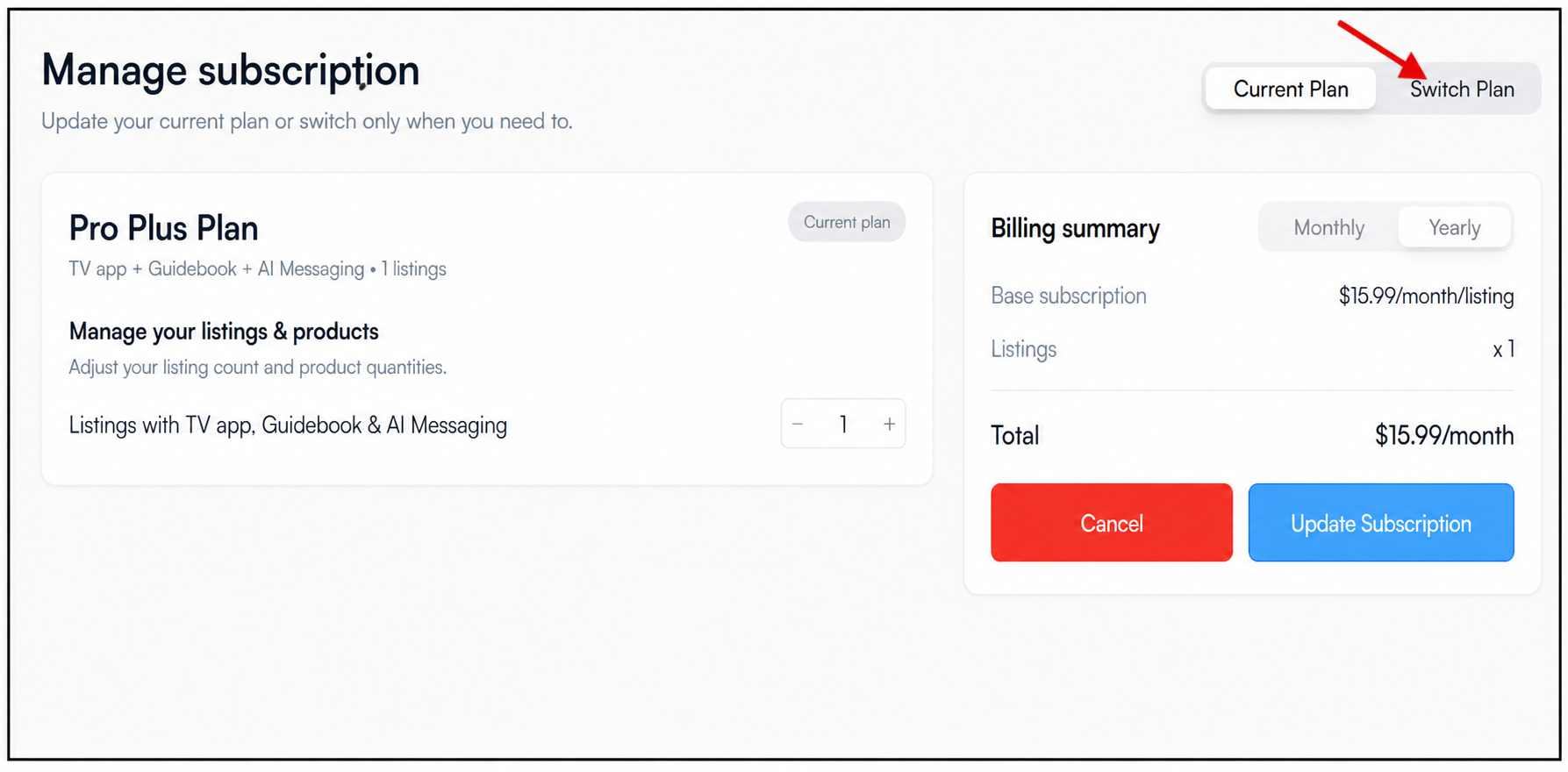
On the subscription page, you'll be able to view your current plan along with the other available plans, making it easy to compare and choose the option that best suits your needs.
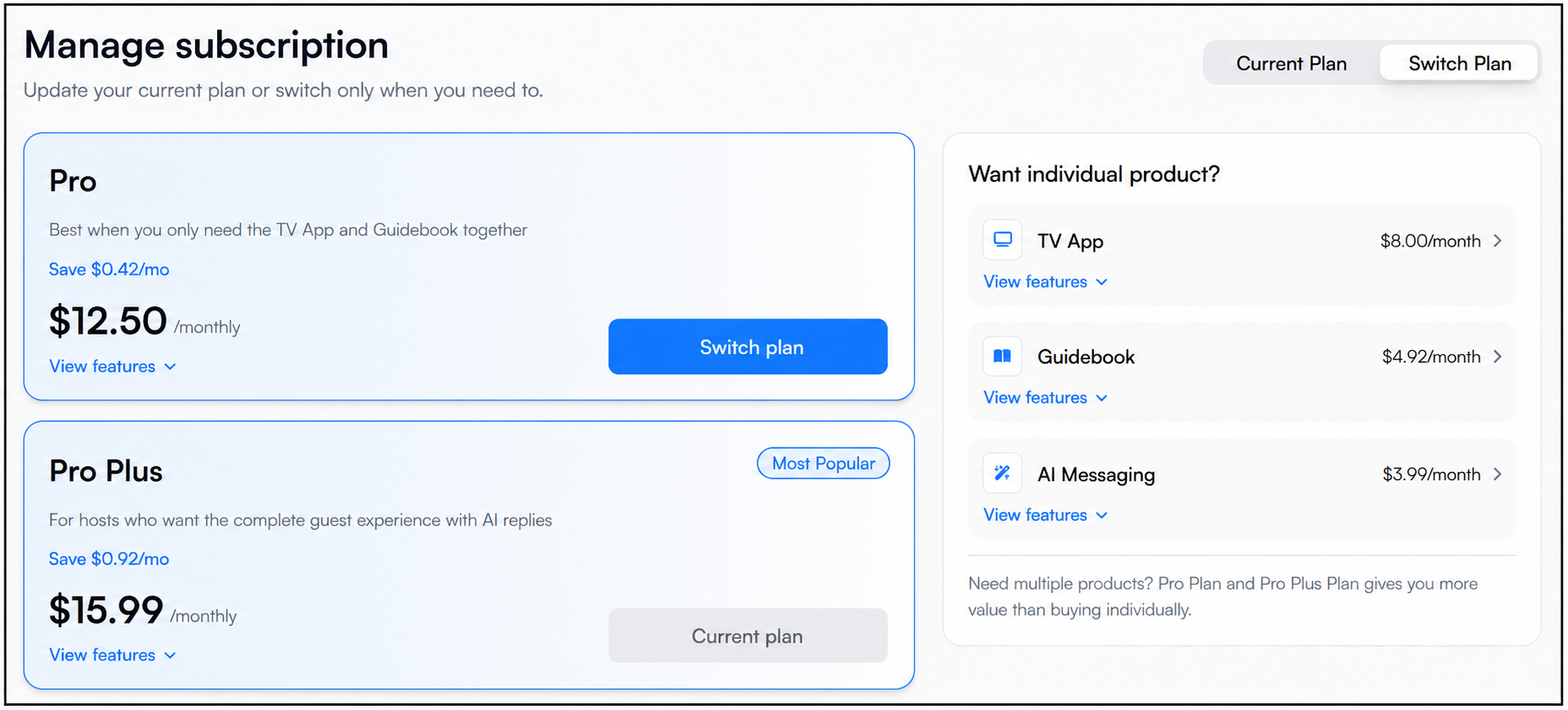
Before switching your WelcomeScreen subscription, it's important to understand how each plan change affects your existing features.
Before confirming your subscription change, carefully review the features included in your selected plan. This ensures you choose the subscription that best matches your current hosting needs and helps prevent the removal of features you may still require.
For additional assistance or questions, contact the WelcomeScreen support team at: support@welcomescreen.com


.png)