

In today’s hospitality industry, instant communication with guests is essential for delivering a seamless experience. By integrating WelcomeScreen with Hospitable using Webhook connectivity, property managers can ensure that guest conversations are reflected in real time across platforms.
A webhook is a real-time communication method that allows one platform to instantly send updates to another whenever a specific event occurs. In this case, webhooks help connect WelcomeScreen with Hospitable PMS messaging.
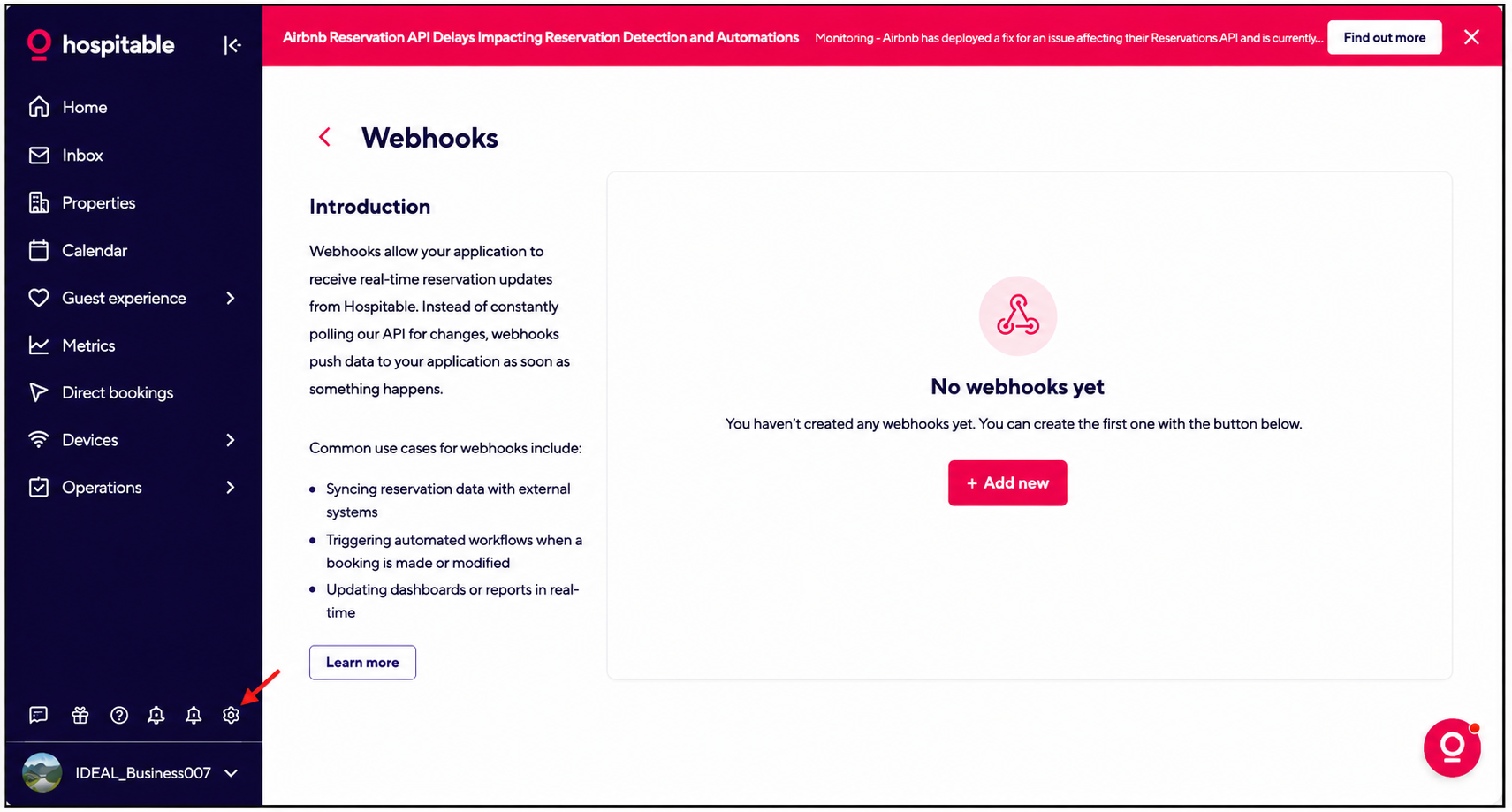


To get the webhook URL:
--> Log in to your WelcomeScreen Portal and navigate to PMS Integration.
--> Copy the Webhook URL displayed at the top and paste it into the Hospitable Webhook URL field.


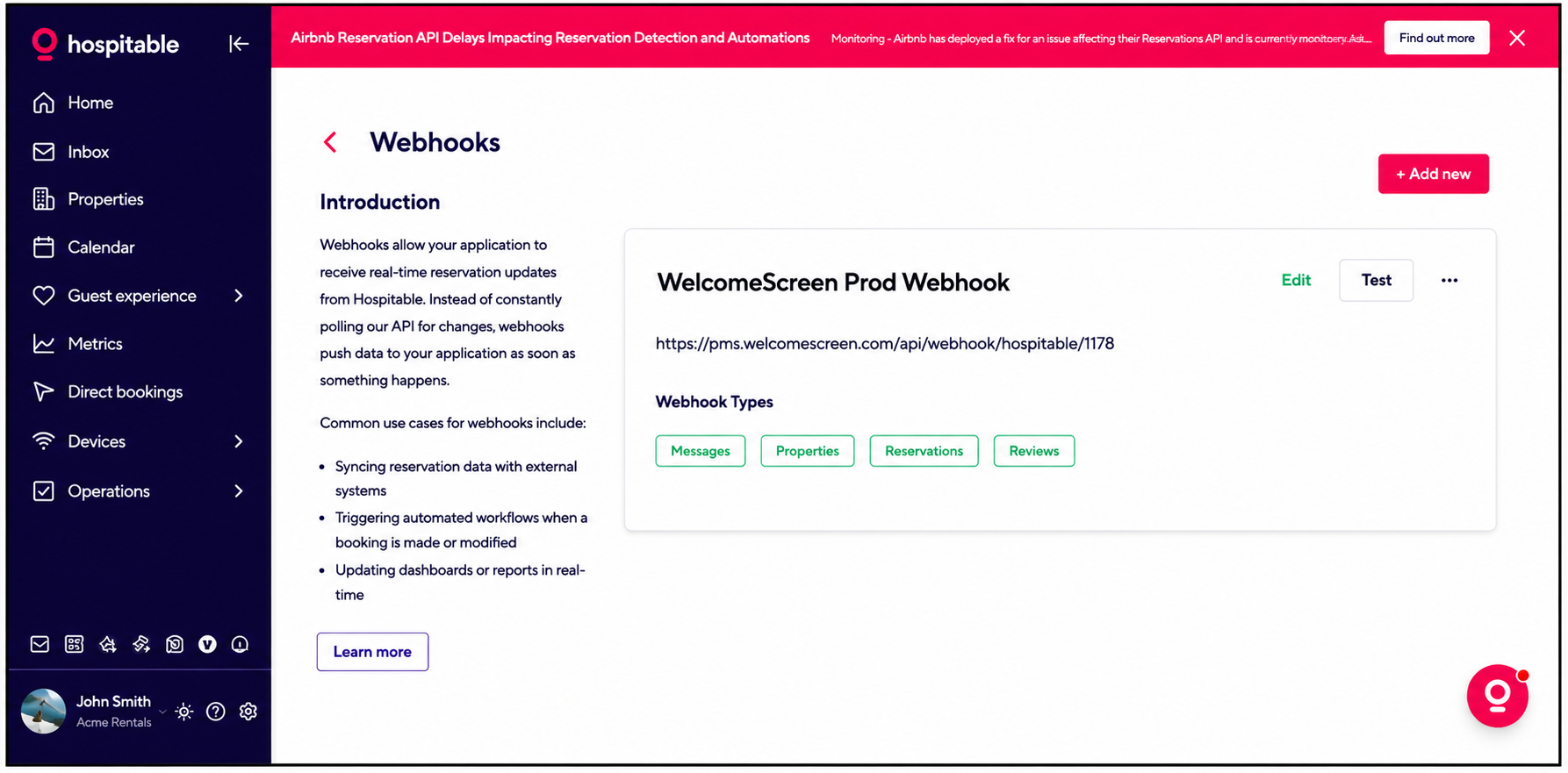
Once completed, the connection between WelcomeScreen and Hospitable will be active. Whenever a guest makes an inquiry through your PMS messaging system, the message will instantly reflect under the AI Messaging tab within the WelcomeScreen, allowing faster responses and seamless guest communication.
Manage guest messages through your PMS
Click here: WelcomeScreen AI Messaging
Receive guest follow-up alerts directly within your Slack workspace, helping your team stay informed and collaborate on guest communication.
Click here: Slack Notification Setup Guide
Receive real-time guest follow-up alerts directly on WhatsApp, making it easy to stay connected even while on the go.
Click here: WhatsApp Notification Setup Guide
For additional assistance or questions, contact the WelcomeScreen support team at: support@welcomescreen.com


.png)